Friday, December 1, 2017

How to find MAC address of Device
Mobile Device

What is MAC Address ?

A MAC address is a unique identifier for your Network adapter or Network Interface Card (NIC). 


How to Find Address ?

1) Find MAC address in Nokia feature phone.
To find Mac address you need to type in this: *#62209526# code from your device home screen 

2) Find MAC address in blackberry device.
To find the Media Access Control (MAC) address of a Wi-Fi enabled BlackBerry smartphone, complete the steps below, according to the version of BlackBerry device software installed on the smartphone:

BlackBerry Device Software 4.5 to 5.0:
  1. From the home screen, click Options > Status.
  2. The WLAN MAC field displays the MAC address for the smartphone.
BlackBerry 6 to 7.1:
  1. From the home screen, select Setup > Options > Device > Device and Status Information.
  2. The WLAN MAC field displays the MAC address for the smartphone.
BlackBerry 10 OS:
  1. From the home screen select Settings > Network Connections > Wi-Fi > Advanced.
  2. In the Diagnostic Information drop-down, select Device Information.
  3. The Physical Address field displays the MAC address for the smartphone.
3) Find MAC address in Android device. Go to Settings-> Go to About Phone->Go to Status->The Wi-Fi MAC Address is listed 

4) Find MAC address in iOS device.
Go to Settings ->Go to General->Go to About->The Wi-Fi Address is the MAC address
Monday, May 24, 2010

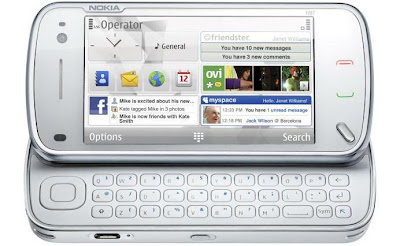
Screen capture on Nokia device
You can install screen capture application from Ovi store.You should have Ovi store/ Nokia Account to download and any application from Ovi Store. Go to the Ovi Store and register for the Nokia account.

Method 1: Installation Steps Using PC:

1. Go to Ovi Store and sign-in with your Ovi store account.

2. Search for the 'Best Screen snap' in Ovi store.

3. You will be displayed the 'Best Screen snap'  application page.Click on Send to mobile  button displayed on the page.You will get the SMS on your mobile containing download link of the application.

4. Open the received SMS and click on application link present in SMS. Clicking link it will open the web browser  pointing to http://store.ovi.mobi containing download page for the application.Click on the download button of the page. Enter the credential for the Ovi Store and sing-in.

5. Now again click on the Download button if not started already.It will start instillation of the application.

Friday, April 30, 2010

How to screen capture on Android Device

Android Phone
If you are a mobile tester and looking for how to screen capture in Android based device then follow below steps. Using below steps you can do screen capture in android device using Dalvik Debug Monitor (DDMS)

1. Java is required to be installed so install it from here Java. If you have already installed Java then make sure you have correct version of Java is installed.Check your Java version from here Java version. If you do not have correct Java version installed then install the suggested version on that page.

2. Download the latest Android sdk from here :
Android SDK

3. Extract the downloaded sdk files from the .zip file.

4. Next step is to install the device driver.Go to the 'android-sdk-windows' folder of sdk and launch the Android SDK and 
AVD Manager tool by clicking 'SDK Setup.exe' file.

5. Go to settings in AVD Manager tool and then check the  force download through HTTP in the settings as shown below.


6. Now select Available packages in AVD Manager and look for 'USB Driver Package'. Select this package and install it by clicking 'Installed selected' button of the AVD Manager.

Thursday, March 25, 2010

Setup Android Emulator
AndroidAre you a tester looking for to test on the android emulator ? Then you are on the right place to get started testing on the Android emulator.

This post will help you to setup the android 1.1 and 1.5 emulator.

You must have java installed on your machine before installing the Android emulator.

Install Java from here: Go to http://www.java.com/getjava/index.jsp and install to java.

If you already installed java or recently then you must know that the version of Java installed on your machine is correct or not.

Test installed java from here: Go to http://www.java.com/en/download/installed.jsp to check whether you have correct version of java installed or not. If you fine that correct version is not installed then follow the instruction provided in page and install the correct version of java.

After completion of java installation successfully follow below steps to install the Android emulator.


Where to download the android emulator ?

Android emulator comes with Android sdk.You can download latest sdk from:http://developer.android.com

How to install android emulator ?

Downloaded android sdk will be in compressed format.Uncompressed it to the desired location [e.g. C:\Emulator]and you are done.


Thursday, March 11, 2010

Mobile Web Application Testing on Desktop Browser
Software Testing
Why testing mobile application on desktop browser ?


Before you start testing your mobile site to determine how it works on mobile device, you should make sure the functionality of the site is working as expected by testing it on desktop browser. We can find functional bug that are going to be reproduce irrespective of mobile devices and get fixed from Developer at early stage before testing cycles starts on the real mobile devices. Starting testing on the mobile devices before testing on the desktop browser is not a good practice which can lead to the more testing effort. The best testing approach for the mobile application should be following.
  • First test on the desktop browser to find the functional bugs and make sure that functionality of the site is as expected.
  • Once site or one of its module functionality is complete then test on the device emulator to get the browser/platform coverage in case if you don't have the device.
  • If device is already available then test on the device itself to find the device specific bugs instead of testing on the emulator
This testing process will help us to find the functional bugs at early stage using desktop browser and then tester can focus on the real device testing to find the device specific bugs like any rendering issues or any functional issues that do not reproduce on the desktop browser but reproduce on the device being tested, this will help developer to get better idea that it is a device specific bugs or not so they can get the right direction to fix it.

Safari and Mozilla Firefox supports some great extensions that can make testing your mobile sites on desktop browser.This post explains how to set Firefox and safari to test your mobile site.